How LINSTOR and DRBD Keep Your Data Alive When a Server Dies
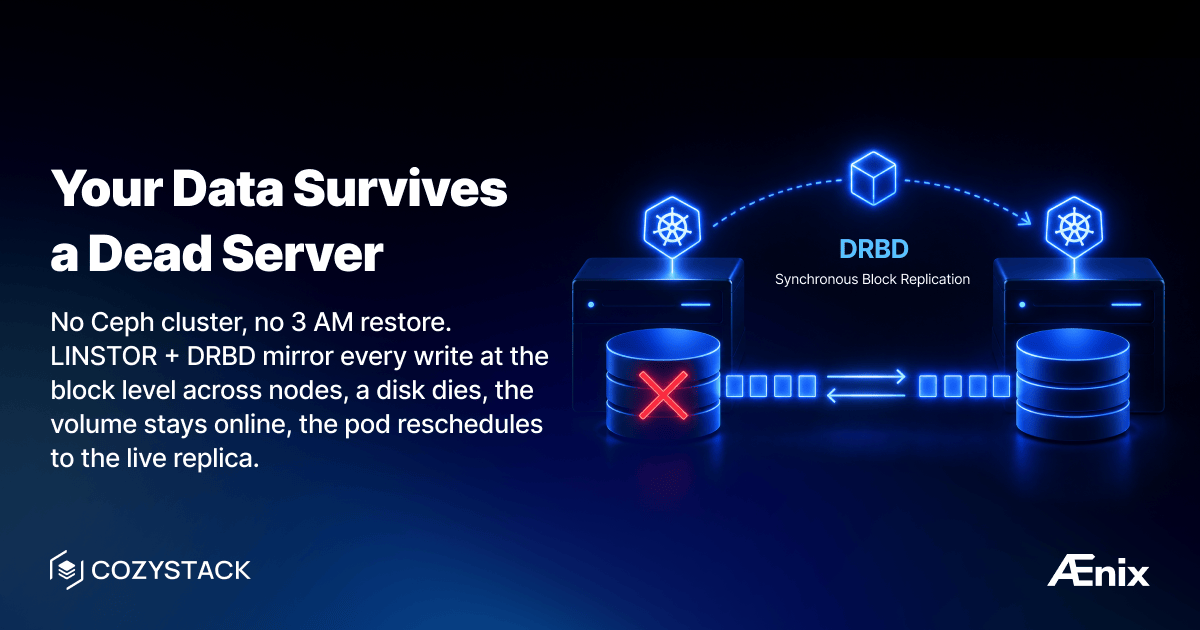
Every bare-metal operator’s nightmare: a disk fails at 3 AM. If your storage is node-local (a local-path or hostPath volume pinned to one node), you’re restoring from backup and praying it’s recent. Ceph gives you replication but demands 3+ dedicated storage nodes, a PhD in CRUSH maps, and constant tuning. Most teams either over-invest in storage infrastructure or under-invest and pay the price in outages.
Cozystack uses LINSTOR + DRBD for replicated block storage. DRBD replicates at the block device level — below the filesystem, below the database, below everything. It’s been battle-tested in Linux HA setups for over two decades. LINSTOR adds the Kubernetes-native orchestration layer on top.
How it works
- DRBD (Distributed Replicated Block Device) synchronously mirrors block devices between nodes. Every write to Node A is immediately written to Node B before the application gets an acknowledgment.
- LINSTOR manages DRBD resources as Kubernetes StorageClasses. When a PVC requests storage, LINSTOR creates a DRBD volume, selects replica nodes, and handles the lifecycle.
- CSI driver exposes LINSTOR volumes as standard Kubernetes PersistentVolumes.
Result: any pod or VM that uses a replicated StorageClass gets synchronous block-level replication across nodes — transparently.
Setting up storage
Step 1 — Prepare disks:
# Set up LINSTOR CLI alias
alias linstor='kubectl exec -n cozy-linstor deploy/linstor-controller -- linstor'

# Check what LINSTOR sees
linstor node list
linstor physical-storage list
If disks don’t appear, they likely have leftover metadata. Clean them:
# WARNING: never wipe the OS install disk (machine.install.disk) — only data disks.
talm -f nodes/node1.yaml wipe disk nvme0n1 nvme1n1
Step 2 — Create storage pools (ZFS):
linstor physical-storage create-device-pool \
  zfs node1 \
  /dev/nvme0n1 /dev/nvme1n1 \
  --pool-name data \
  --storage-pool data
Repeat for each node.
Step 3 — Verify:
linstor storage-pool list
You should see a data pool on each node with available capacity.
Step 4 — Use it:
Any application that specifies storageClass: replicated now gets DRBD-replicated volumes (three replicas by default). PostgreSQL, MongoDB, VM disks — all of them.
# In any application config:
values:
  storageClass: replicated
  size: 50Gi
What happens when a node fails
- DRBD detects the node is gone.
- The volume remains available on the surviving replica node.
- Kubernetes reschedules the pod to a node that has the replica.
- When the failed node comes back, DRBD automatically resyncs.
No manual intervention. No restore from backup. No data loss.
Documentation
- Storage overview
- Disk Preparation
- Disk Encryption
- DRBD Tuning
- NFS (RWX)
- LINSTOR GUI
- Dedicated Storage Network
Join the community
- Cozystack on GitHub
- Telegram group
- Slack group (Get invite at https://slack.kubernetes.io)
- Community Meeting Calendar